
How do I cancel my subscription?Updated 3 days ago
We're sorry you'd like to cancel your subscription! Please follow these steps to cancel your subscription:
1. Log in to your subscriber portal here: https://38tera.com/a/account/login
2. Find your subscription and click the three-dot More button (on the right)
3. Select Cancel from the menu
4. Confirm your selection
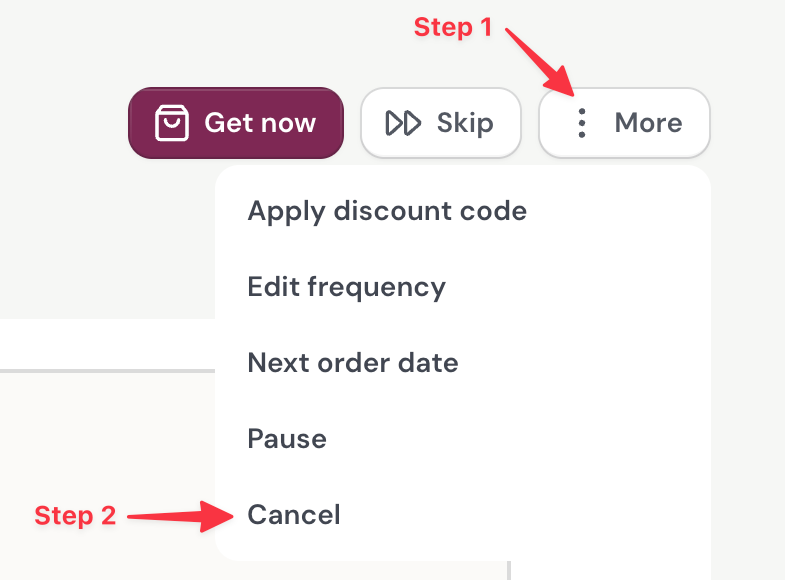
That's it — no cancellation fees, and you'll get a confirmation email once it's done.
If you'd rather not stop entirely, that same More menu also lets you change your Next order date if you'd like to keep your subscription active and have it ship at a later date.
If you run into any issues, please email our customer support team at [email protected].